xMiner introduction
Contents
How to discover hot topics
Start Browsing @Landing Page
General Search & Hot Posts @Discoveries
How to create a subject?
Create Subject @ Landing Page
Keyword Setting Example
Real-time monitoring @ Subject
Searching Conditions
Monitoring Sections
Change Setting @ Subject
How to do analysis?
1. Think research angles
2. Set Questionnaire @Categorization
3. Machine Coding @Pooling Management
4. Visualize @Analysis
5. Report @Insight Report
Others - Alert / Setting / Clipping
Alerts @Setting
Check Alert Details @Alert Management
Clipping @Monitoring
Account Setting
Published with GitBook
4. Visualize @Analysis
4. Visualize @Analysis
Prepare dashboards
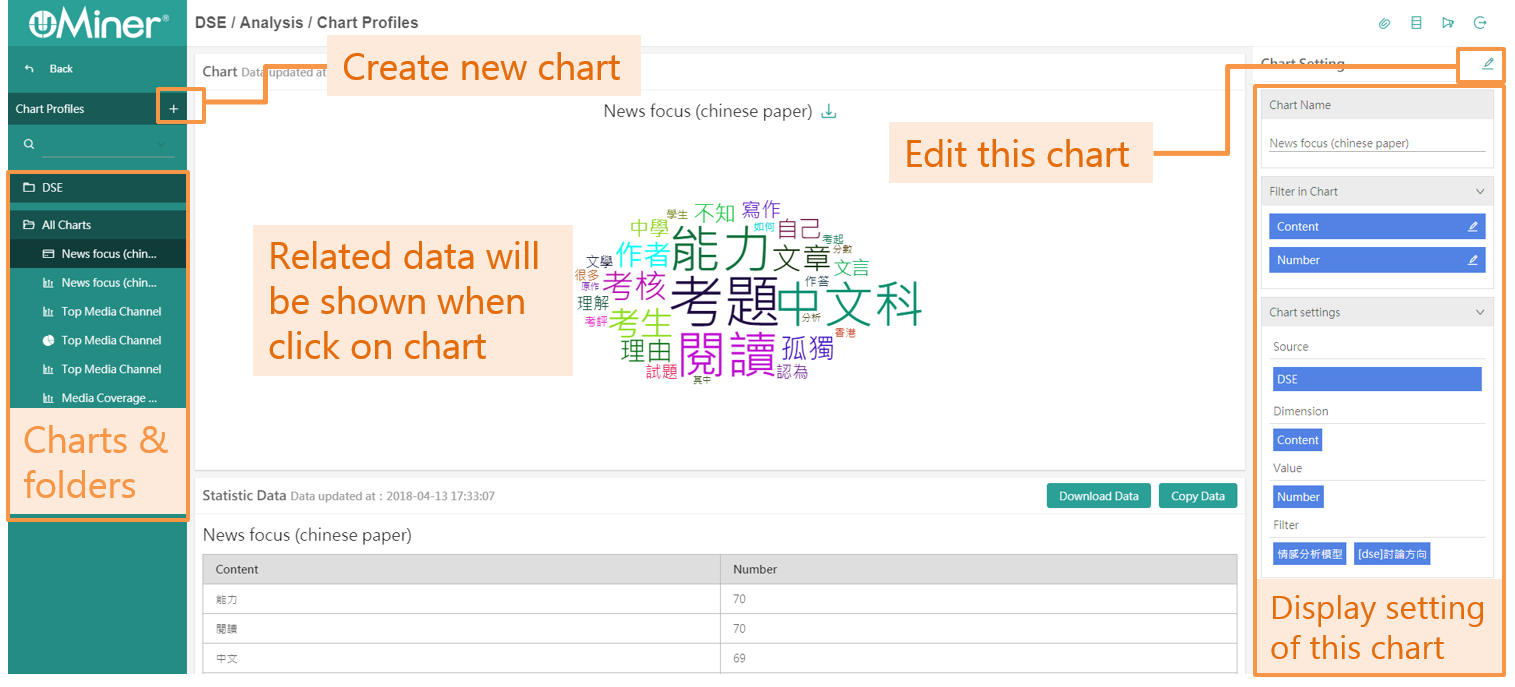
Step 1. Choose "Analysis"
Step 2. Create new chart
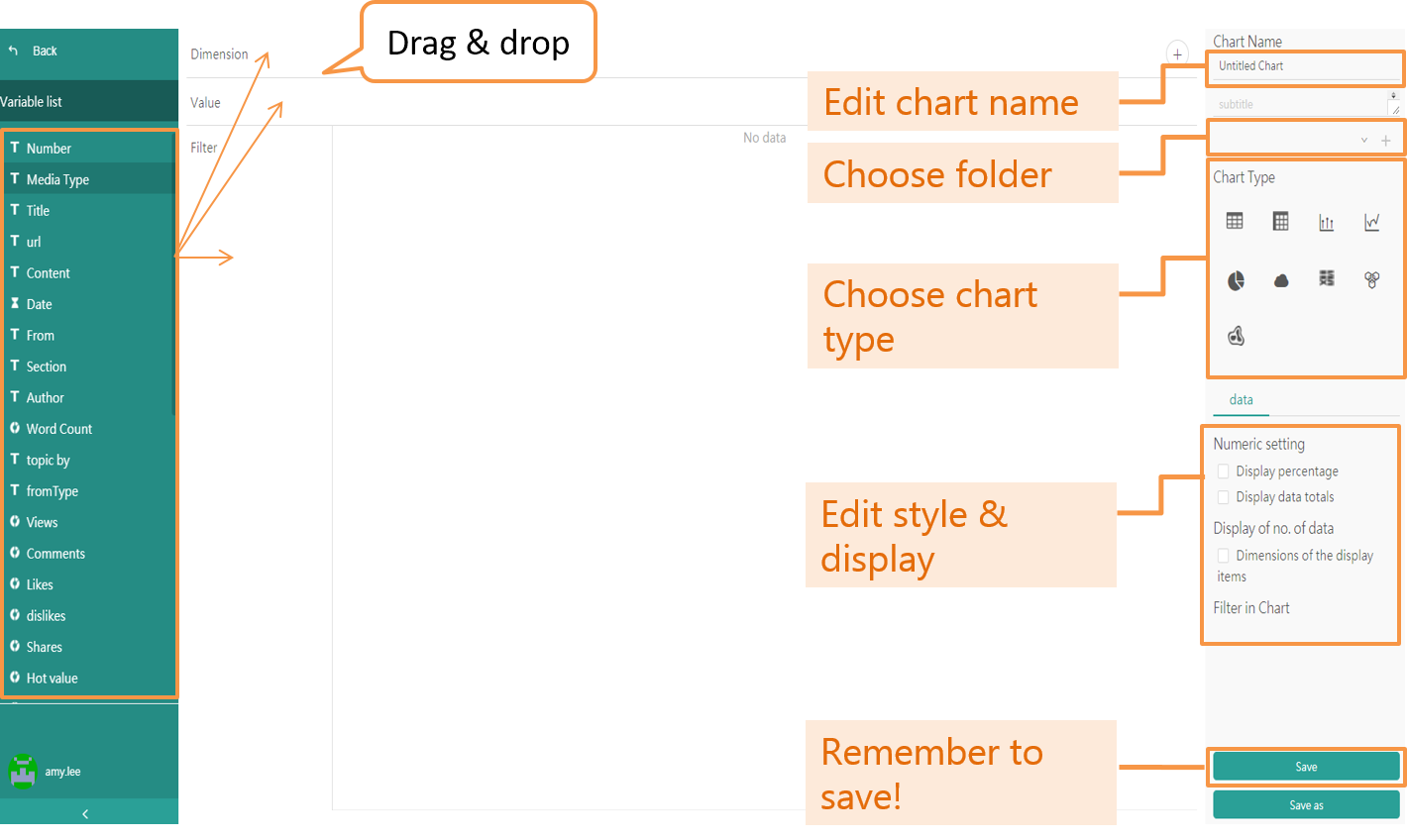
Step 3. Set up the chart
Tips
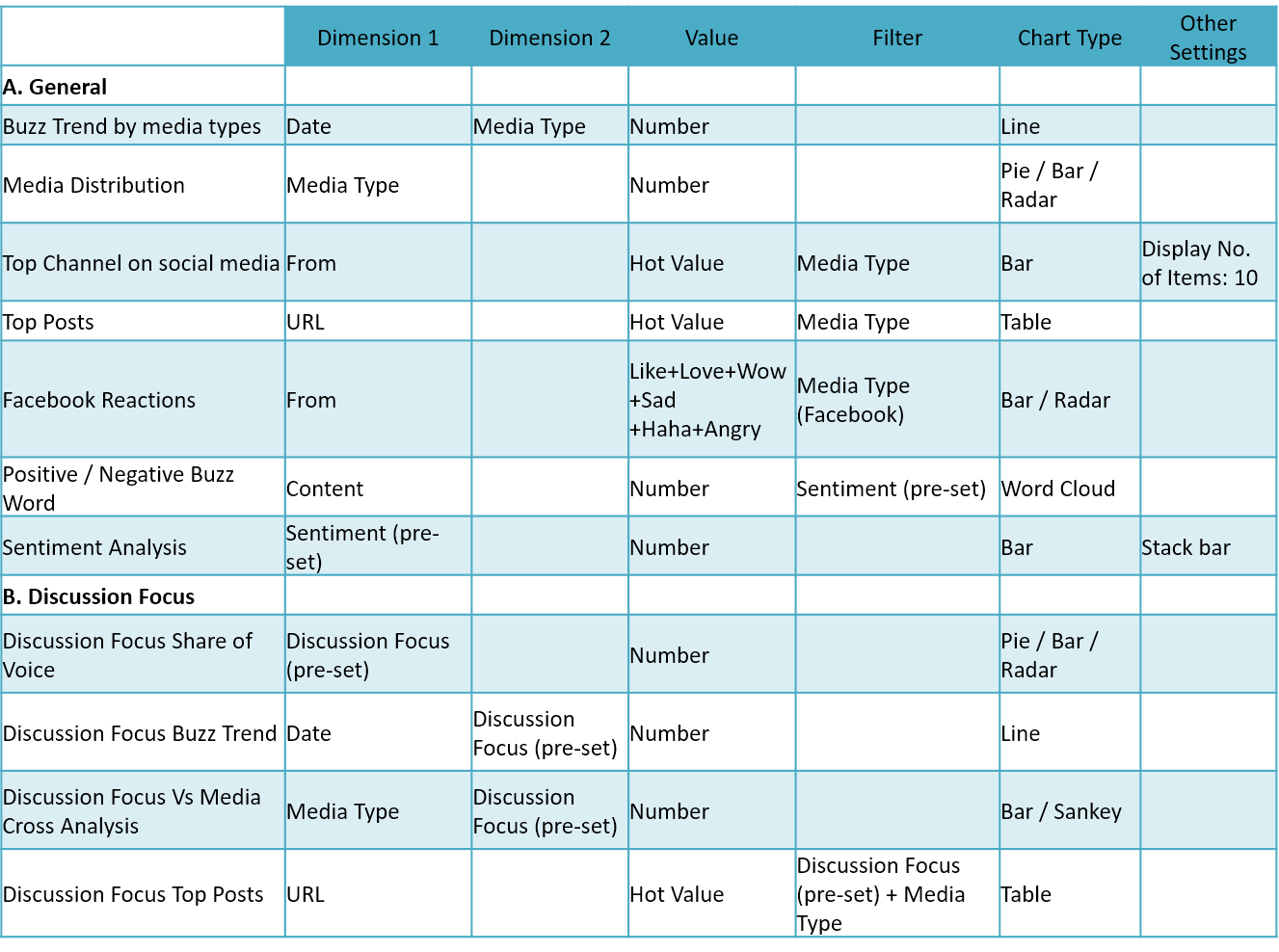
1. How to Make Chart - Examples
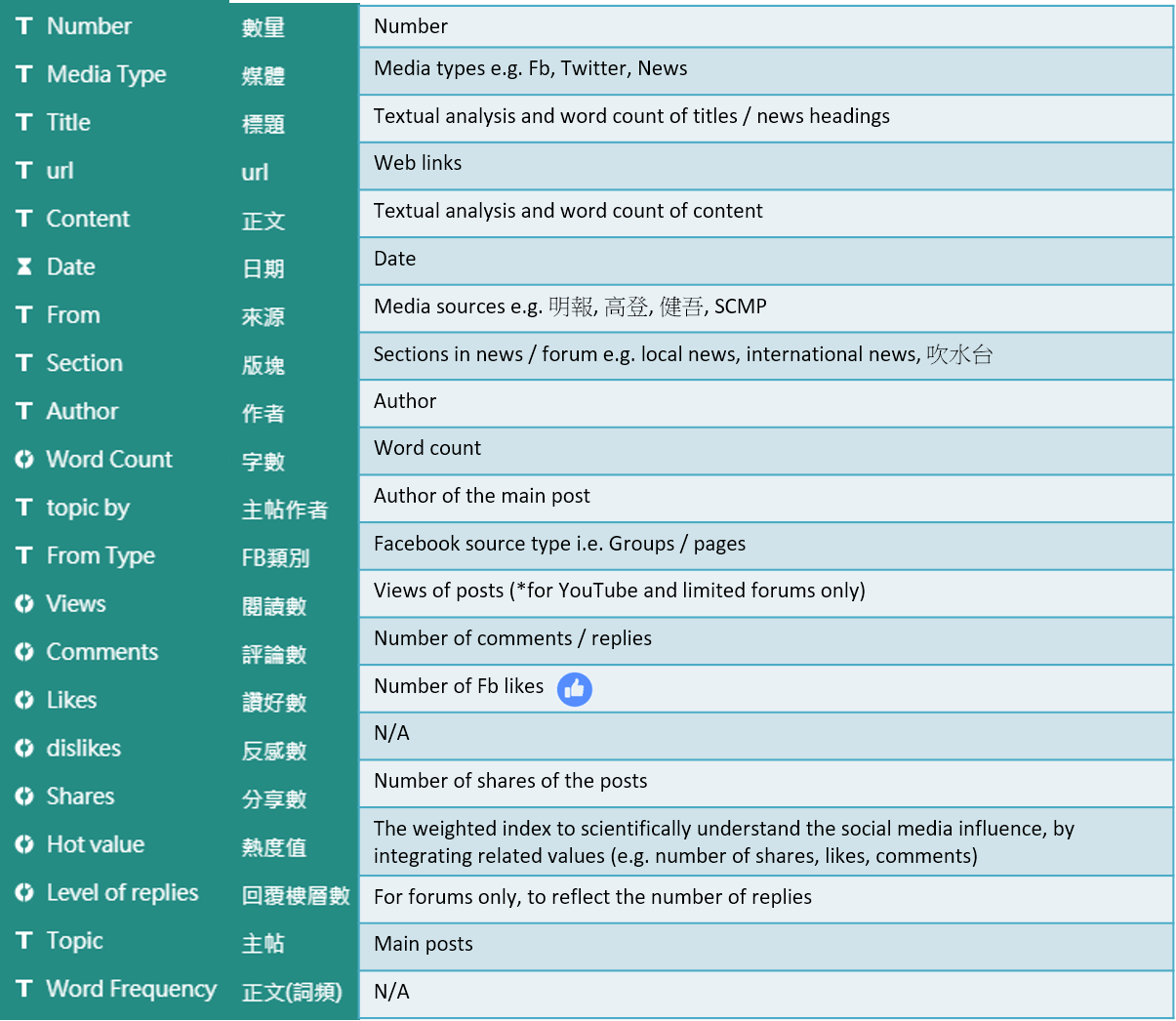
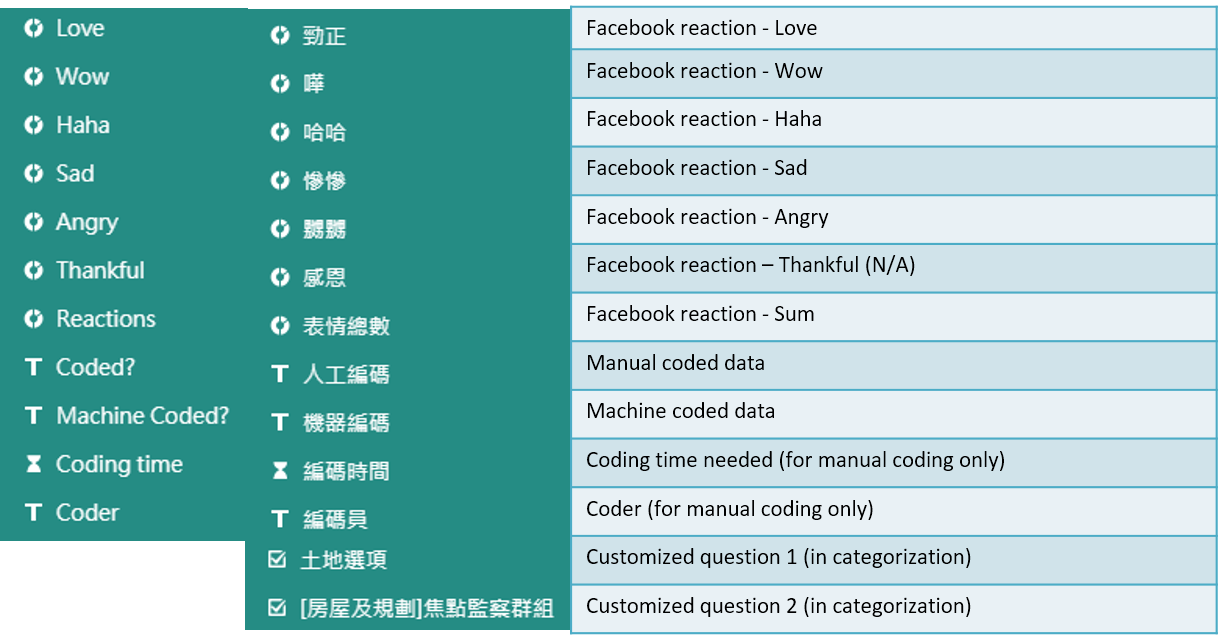
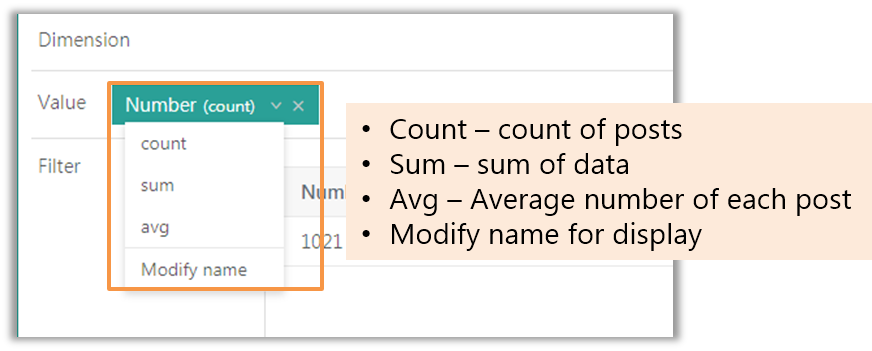
2. Chart Tab Explanation
results matching "
"
No results matching "
"